
HUMN Season 2 is live at manifest.human.tech
Season 1 let you prove you’re a unique human, with privacy, onchain.
Season 2 is about what you can do with that proof.
Follow @humntech for updates.

Season 2 has begun!
In Season 2, the campaign expands beyond the Passport App and moves to manifest.human.tech. While Passport remains the foundation of our efforts, The Covenant becomes a forum for the advancement of Humanistic Technology built on the $HUMN token.
The Covenant is the precursor to the DAO that will steward the future of the human.tech stack. Part design-philosophy, part governance constitution, the Covenant will begin as a medium for the exchange of ideas, art, and research pieces to establish the culture of $HUMN.
As part of the Manifestation (and Season 2), we’re inviting you to read and sign The Covenant of Humanistic Technologies. As a reward for your contribution, you will gain an additional 1,000 HUMN Points and receive a limited-edition NFT from one of our curated artists (subject to availability). You’ll find the step-by-step instructions in the following sections.
How to join and participate
To join The Covenant community and participate in Season 2, visit manifest.human.tech, connect your Passport wallet, and complete the following steps:
Step 1: Read and sign the Covenant.
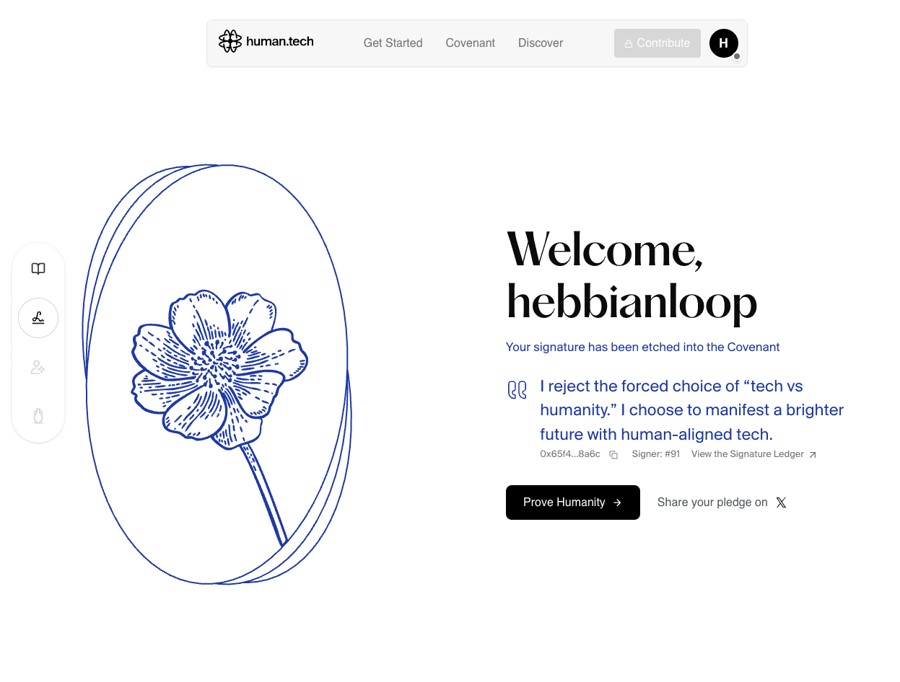
Once you’re redirected, click “Let’s Begin” to start. You’ll be prompted to read The Covenant and later, to sign it. In the process, you will create a cryptographic signature attesting to the Covenant Principles and human-aligned intent. You’re welcome to share your pledge with others on X.
Step 2: Verify your Humanity.
As fully verified unique humans, most Passport users will be able to skip this step. Just make sure to connect the same wallet that you used for verification on Passport. If you’re not human-verified already, go to the Human Passport app and obtain a score of 20 or higher, or verify directly with a biometric scan (first 10,000 new users only). Verified humans can upvote to show support for the submitted items and create new proposals or artifacts.
Step 3: Upvote Projects.
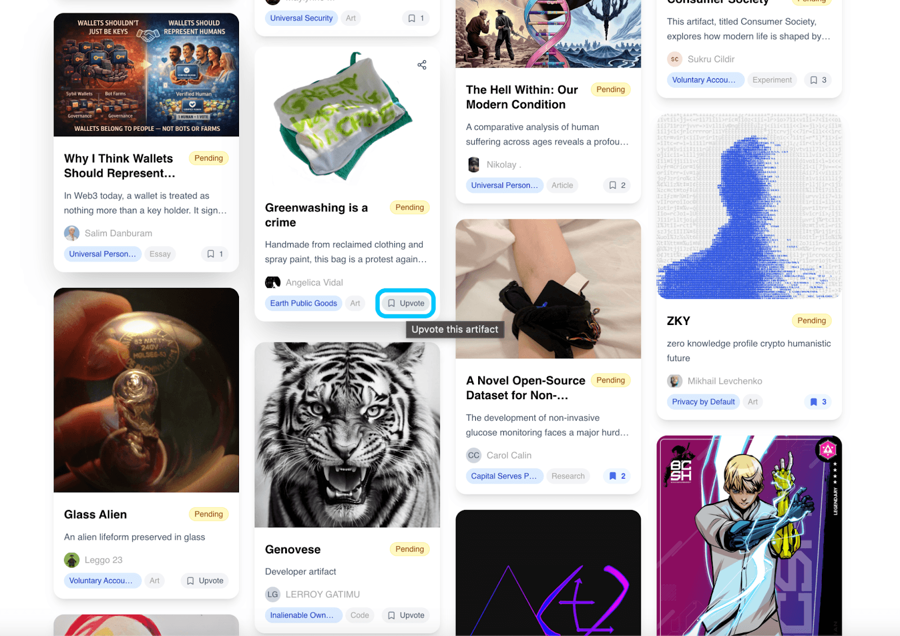
After verifying your humanity, you will have an influence over rising awareness on which submissions should be approved and added to The Covenant. To upvote artifacts, navigate to the Discover tab. You can upvote both Approved and Submitted works.
Step 4: Express your Humanity. (optional)
If you have an idea, submit an artifact (proposal, art, writing, research, or creative work) to contribute to the cultural corpus curated by the Covenant community. Artifacts may be curated by the community’s core contributors and minted as an NFT to the humn.eth multisig. Curated members are candidates for HUMN Grants and other opportunities within the community.
⚠️ You can only submit your own original work to which you have full IP rights.
Step 5: Activate Participation. (optional)
Participation takes many forms. You might join a working group to build something real, mentor projects aligned with your expertise, step forward to be considered as a curator, help shape governance, contribute to core protocols or operations, or bring people together by hosting a local meetup.
Step 6: Join the Discussion.
Join the community on Discord. Community channels on Discord provide ongoing coordination, updates, and discussion. Roles, responsibilities, and contribution paths will continue to evolve as The Covenant, what we are calling the human.tech DAO, matures.
Support / Help
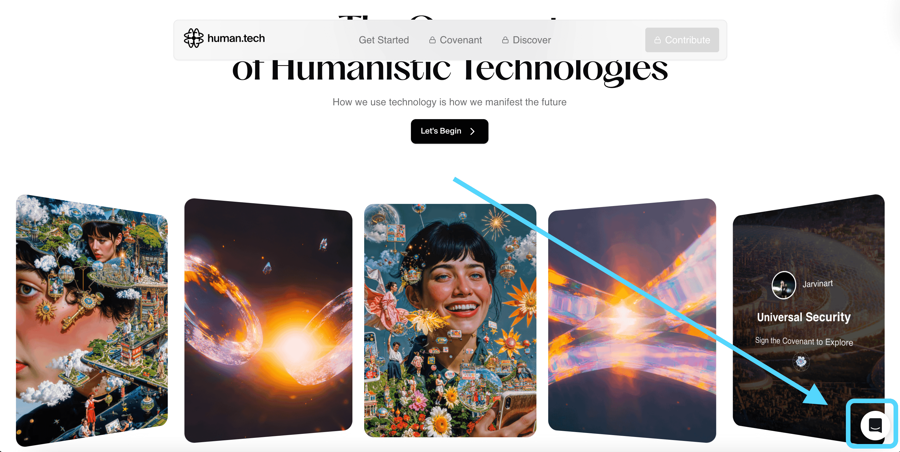
If you’re experiencing trouble and need support, use the bubble icon in the bottom right corner of the Manifestation app.
⚠️ If you’re using biometric check in the Manifestation app instead of the Passport’s Unique Humanity Score obtained in the Passport app, be aware that the camera is blurred by design. That's a privacy feature, not a bug, and it doesn't prevent verification. Just make sure you are in a bright spot. We suggest using a mobile device for better results.
Rewards
1,000 HUMN Points assigned for signing The Covenant declaration.
Limited-edition NFT by one of our curated artists. Given the finite nature of those NFTs, they will only be available for a certain number of signing members.
Season 2 is early by design, rewarding curiosity, initiative, and alignment. Beyond signing, there is no fixed path or required output, and no expectation beyond being human and participating in good faith. The Covenant is a space to think, build, and decide together what human-aligned technology should become.
FAQ
What is HUMN Season 2?
Season 2 is the next phase of the HUMN campaign. It builds on human verification and focuses on participation, contribution, and community governance through The Covenant and the $HUMN ecosystem.
Do I need Human Passport to participate?
Human Passport is the foundation of Season 2. You need to be verified as a unique human to sign The Covenant and participate in the community activities. For a limited time, up to 10,000 new users can complete free human verification via biometrics check as part of Season 2 onboarding.
What is The Covenant?
The Covenant is a shared framework for culture, contribution, and governance in the human.tech ecosystem. It defines how human-aligned technology is shaped and stewarded over time.
What do I get for signing The Covenant?
Signing the Covenant grants 1,000 HUMN Points and a limited-edition art NFT, subject to availability.
Is the $HUMN token live?
No. The $HUMN token has not launched yet. Detailed information about the token and governance mechanics will be shared in a dedicated follow-up post.
Where should I follow updates?
Follow human.tech on X, read the human.tech blog, and join the Discord for ongoing updates and announcements.
Do I need to pass the biometric check in the Manifestation app?
If you participated in Season 1 of the HUMN campaign, connect your Passport wallet, and you won't need to pass the biometric check - you will be automatically granted 'verified' status based on your Humanity Score on Passport. This way, you will also merge your HUMN Points from Season 1 with additional points scored for signing The Covenant.
I didn’t participate in Season 1, and I want to use the biometric check to sign The Covenant. Why is the image blurred during the verification process?
If you're using biometrics check instead, be aware that the camera is blurred by design. That's a privacy feature, not a bug, and it doesn't prevent verification. Just make sure you are in a well-lit space, and you should be able to pass. We suggest using a mobile device for better results.
How to get support?
If you need support, use the bubble icon in the bottom right corner of the Manifestation app.
Last updated
Was this helpful?